Build Conflict-Free School Timetables in Minutes
Generate class, teacher and room timetables automatically while respecting your school's lesson requirements, teacher availability, subject combinations and scheduling rules.
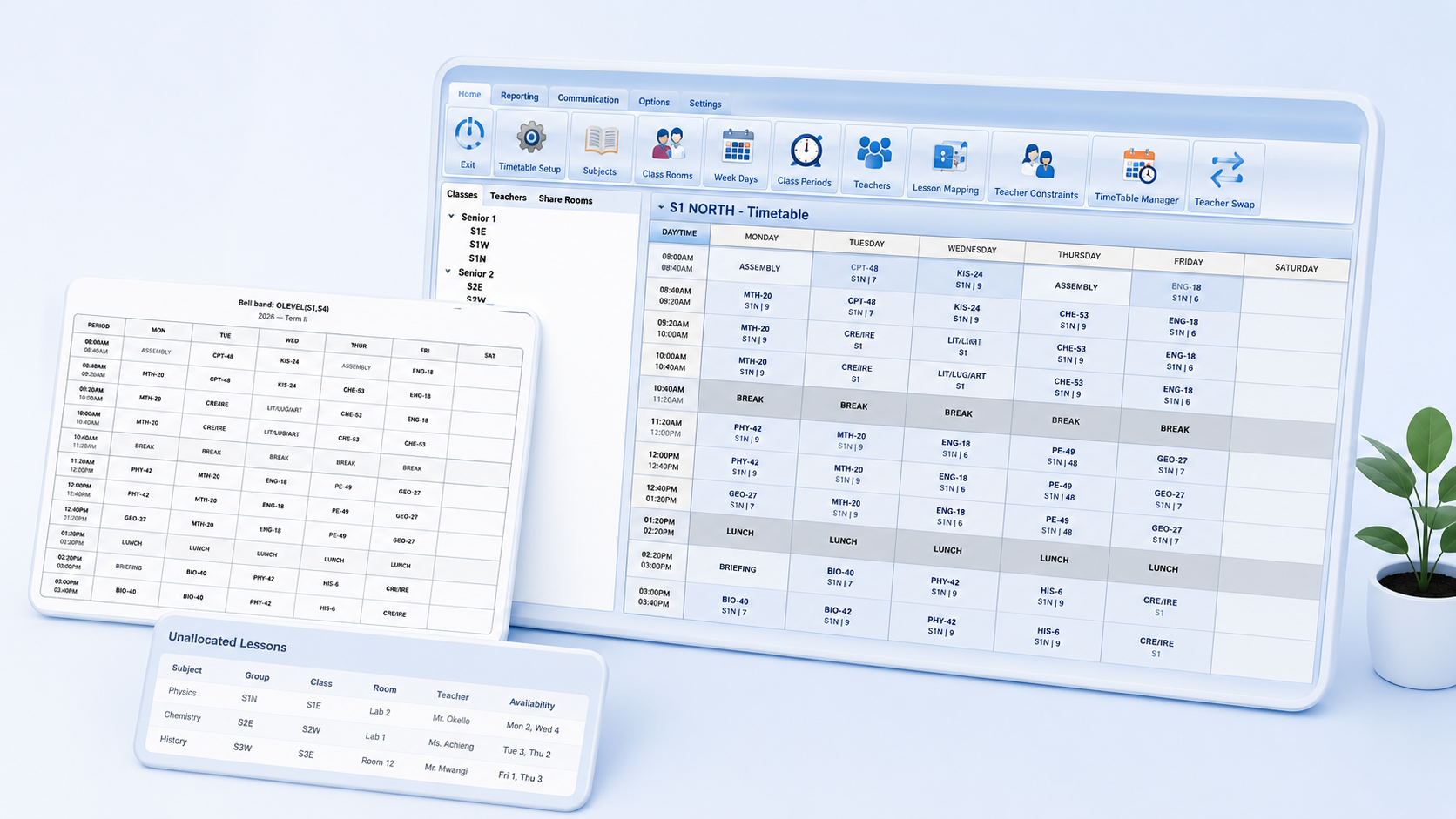
Still Spending Days Preparing Timetables?
Manual timetable preparation becomes increasingly difficult as the number of teachers, classes, rooms, subject combinations and scheduling constraints grows.
Manual Scheduling
Timetable committees can spend several days arranging lesson allocations manually.
Teacher Conflicts
A teacher may accidentally be assigned to more than one class during the same lesson period.
Room Conflicts
Laboratories, workshops and shared classrooms can be allocated to competing lessons.
Endless Revisions
One teacher or subject change can force several timetable adjustments elsewhere.
SchoolEdge Timetabler evaluates your school's scheduling requirements and helps produce a practical timetable while identifying conflicts before publication.
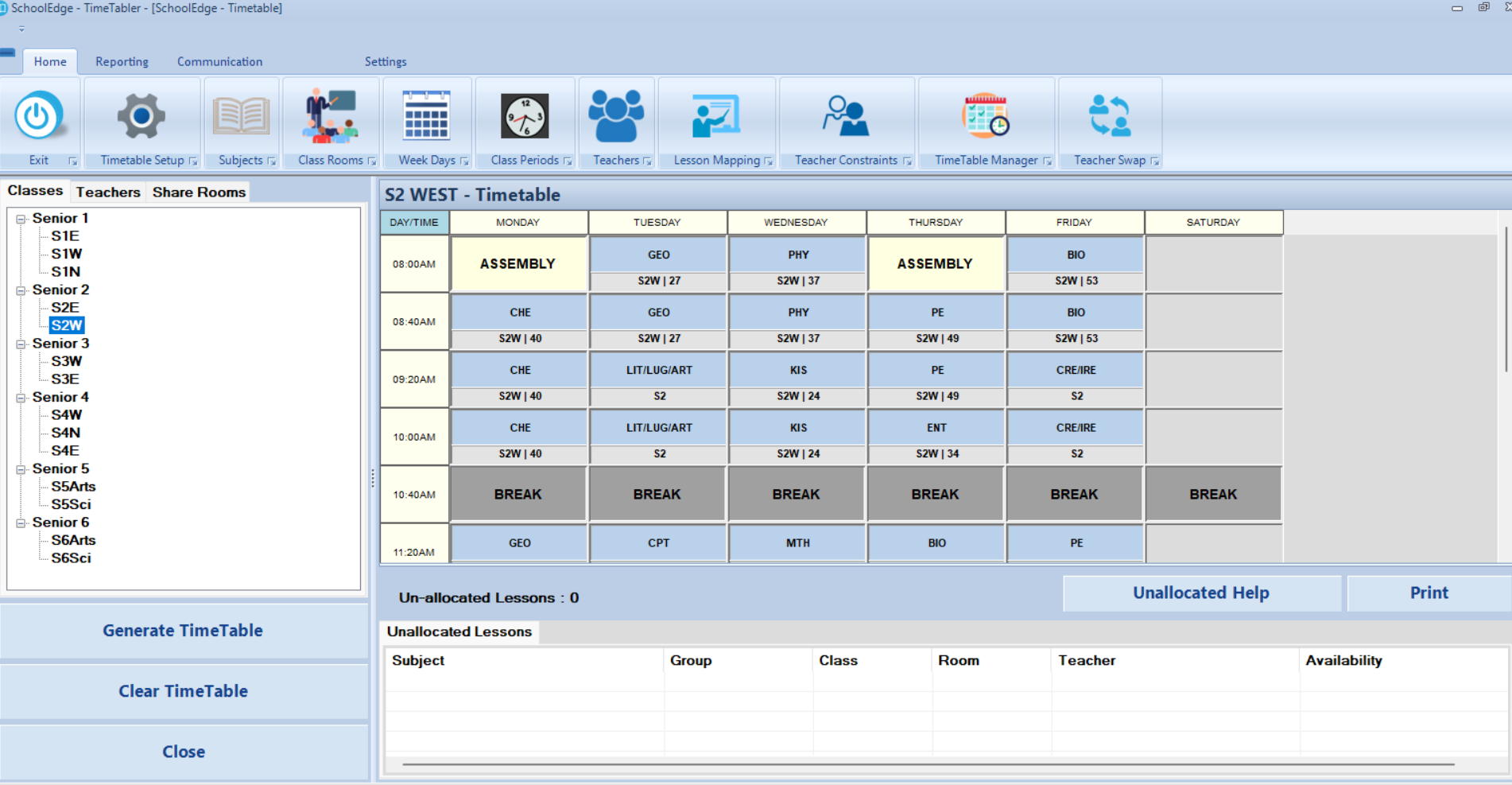
Digital Timetable Management for Secondary Schools
SchoolEdge Timetabler brings teachers, classes, streams, subjects, rooms, lesson loads and scheduling rules into one structured environment for timetable preparation.
Reduce Preparation Time
Replace lengthy manual timetable preparation with a structured generation process.
Respect School Constraints
Consider teacher availability, room access, lesson frequencies and subject combinations.
Improve Workload Visibility
Review teacher allocations before finalizing and publishing the timetable.
Produce Professional Outputs
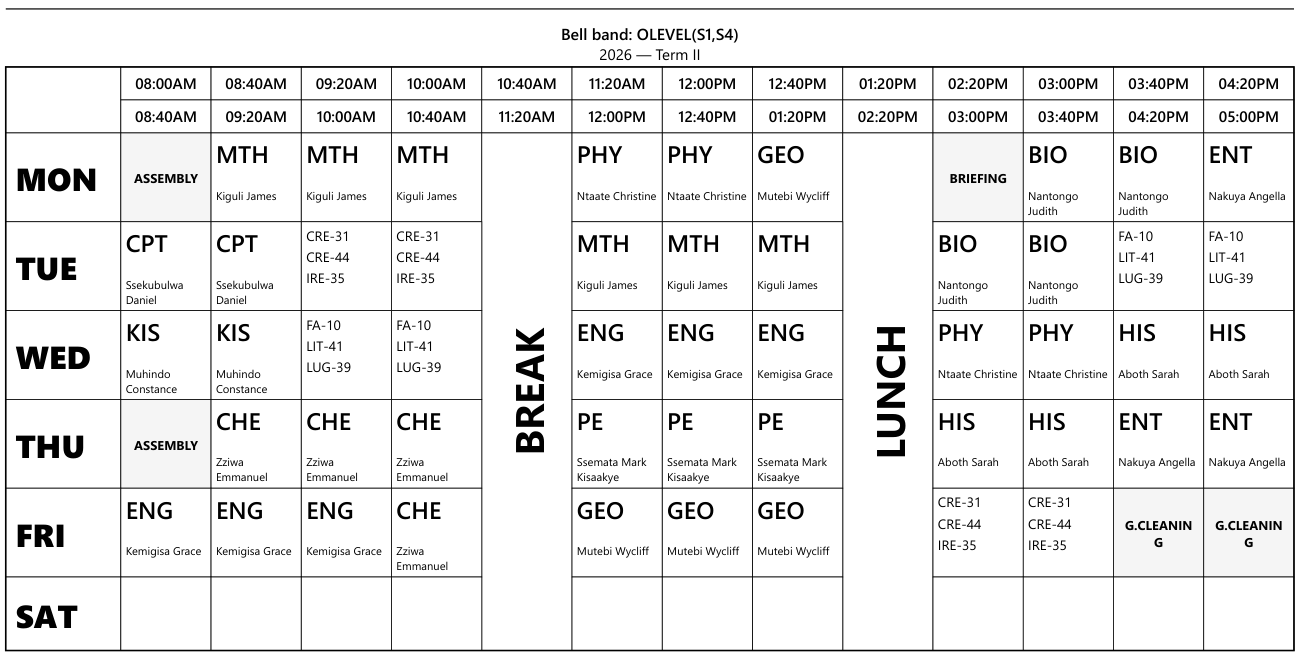
Print and distribute teacher, class, room and master timetables.
Everything You Need to Prepare Better Timetables
Configure your school, generate timetables, review conflicts, analyse workloads and produce professional timetable reports from one application.
Manage Teachers and Their Availability
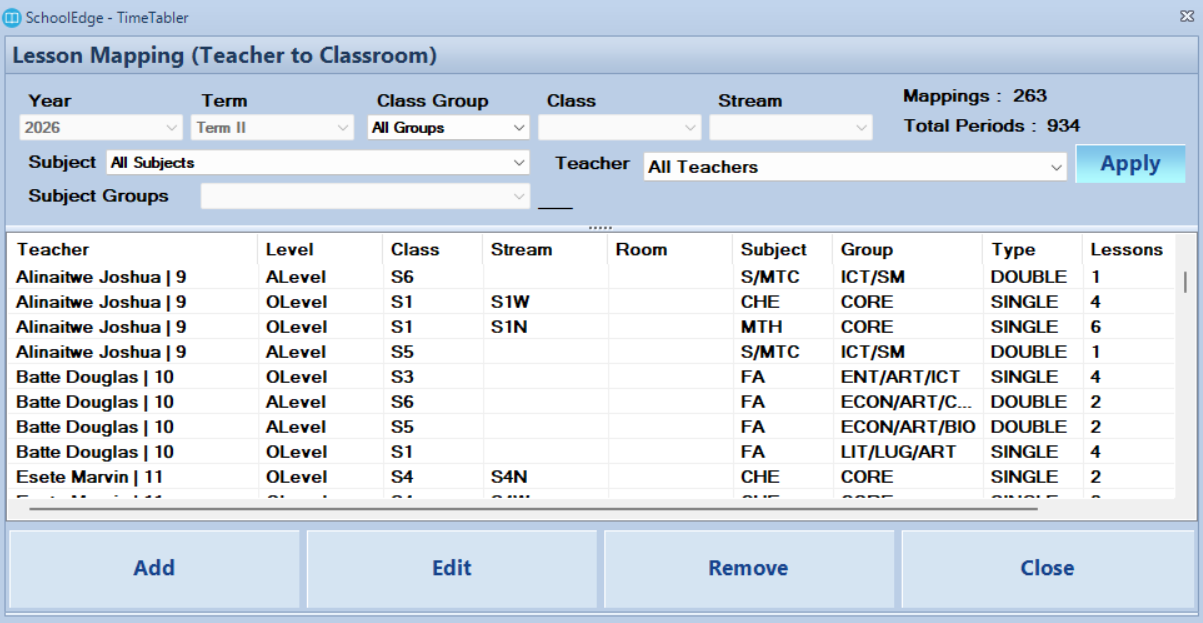
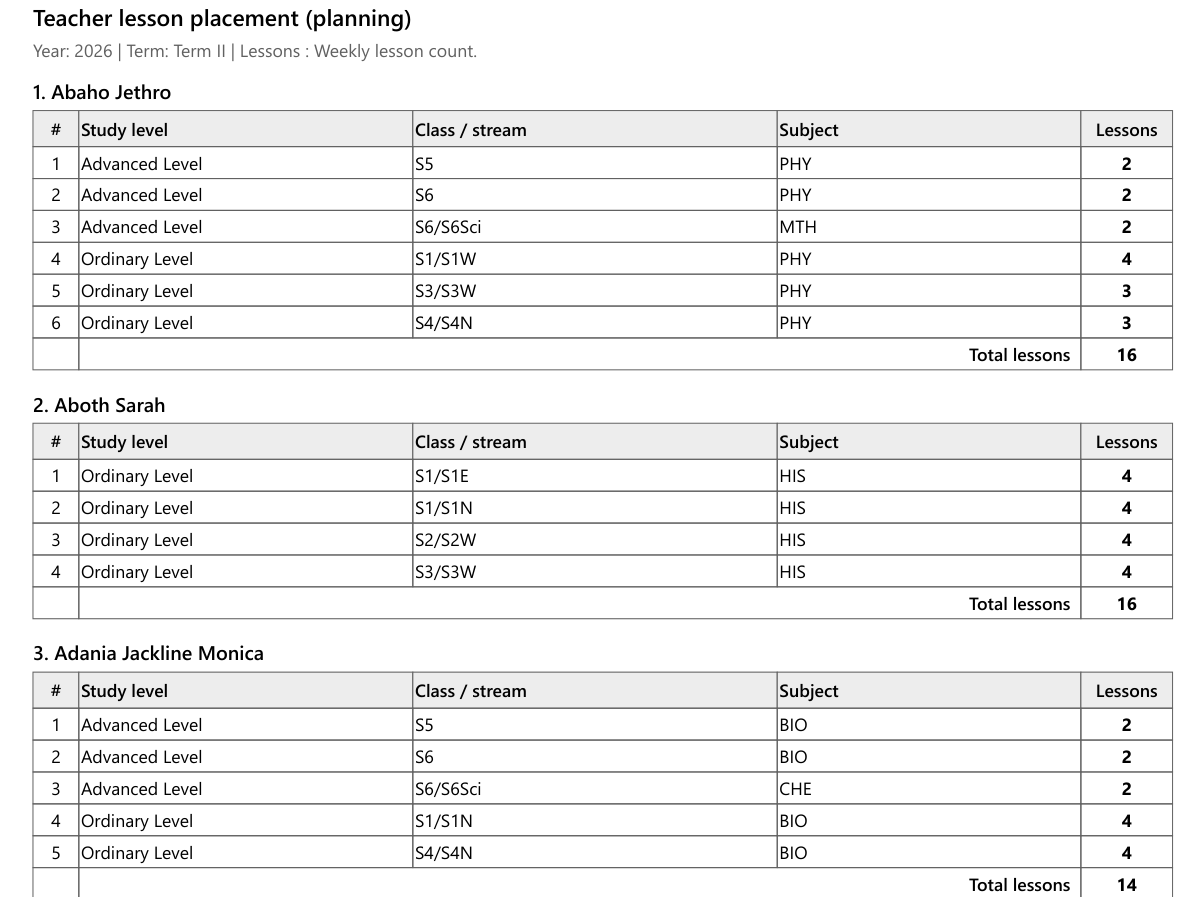
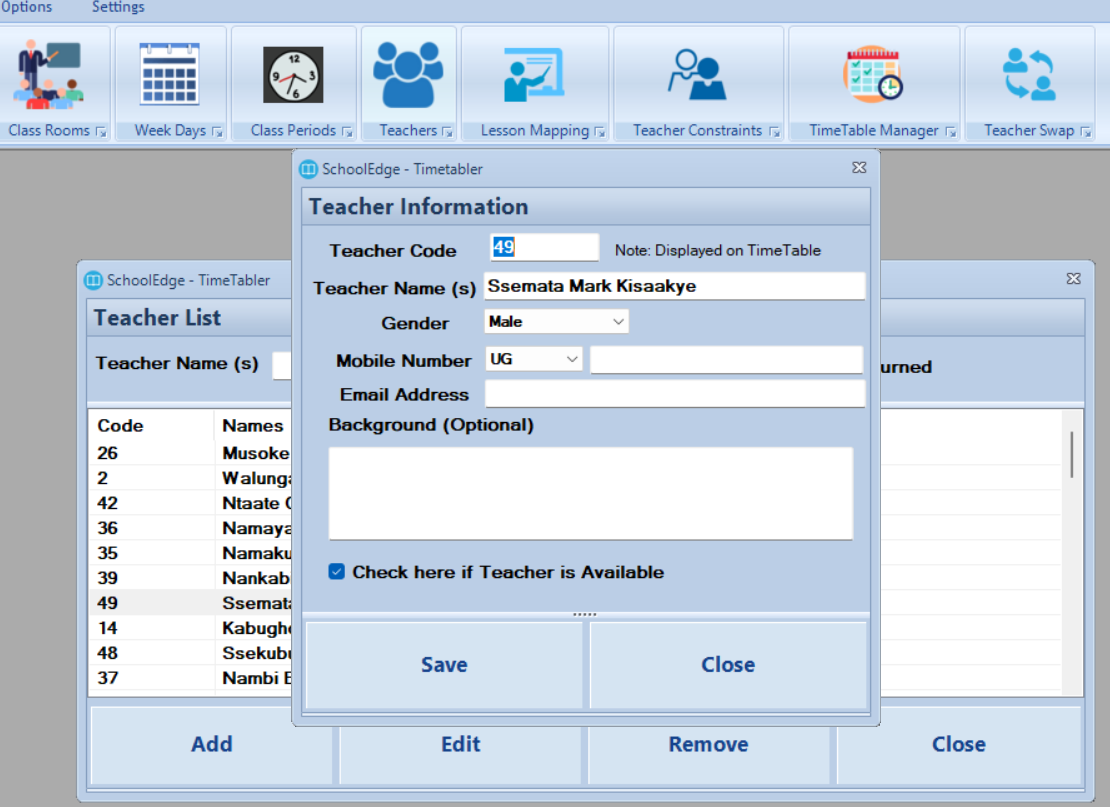
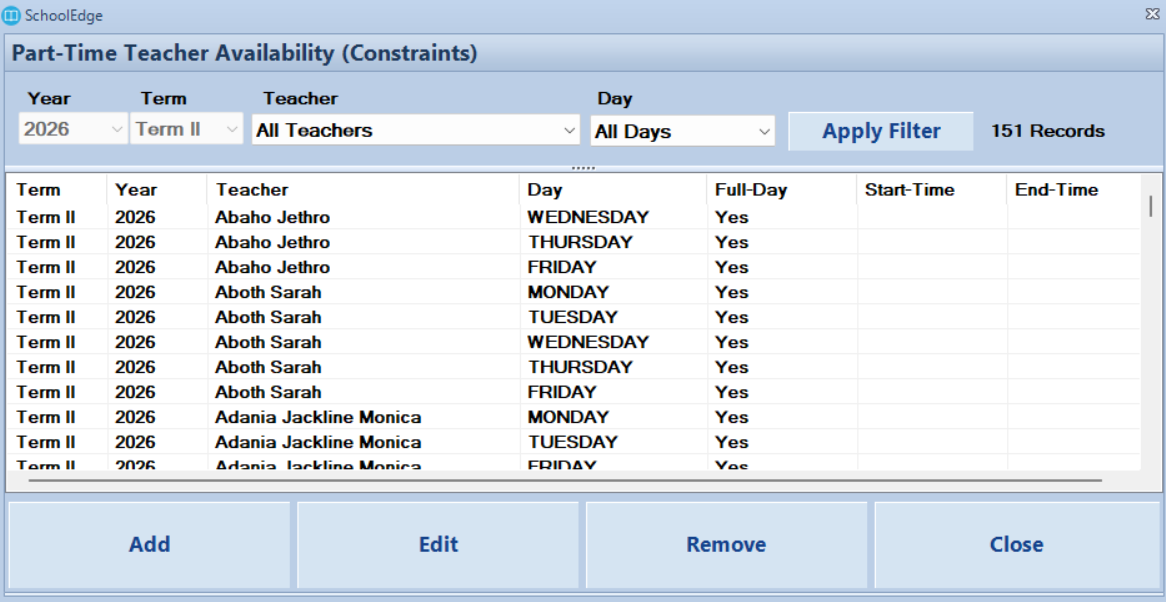
Organize teacher records, assigned subjects, lesson loads and availability constraints before generating the timetable.
- Teacher records and codes
- Subjects taught by each teacher
- Teacher lesson allocations
- Available and unavailable periods
- Teacher-specific scheduling restrictions
Configure Subjects and Lesson Requirements
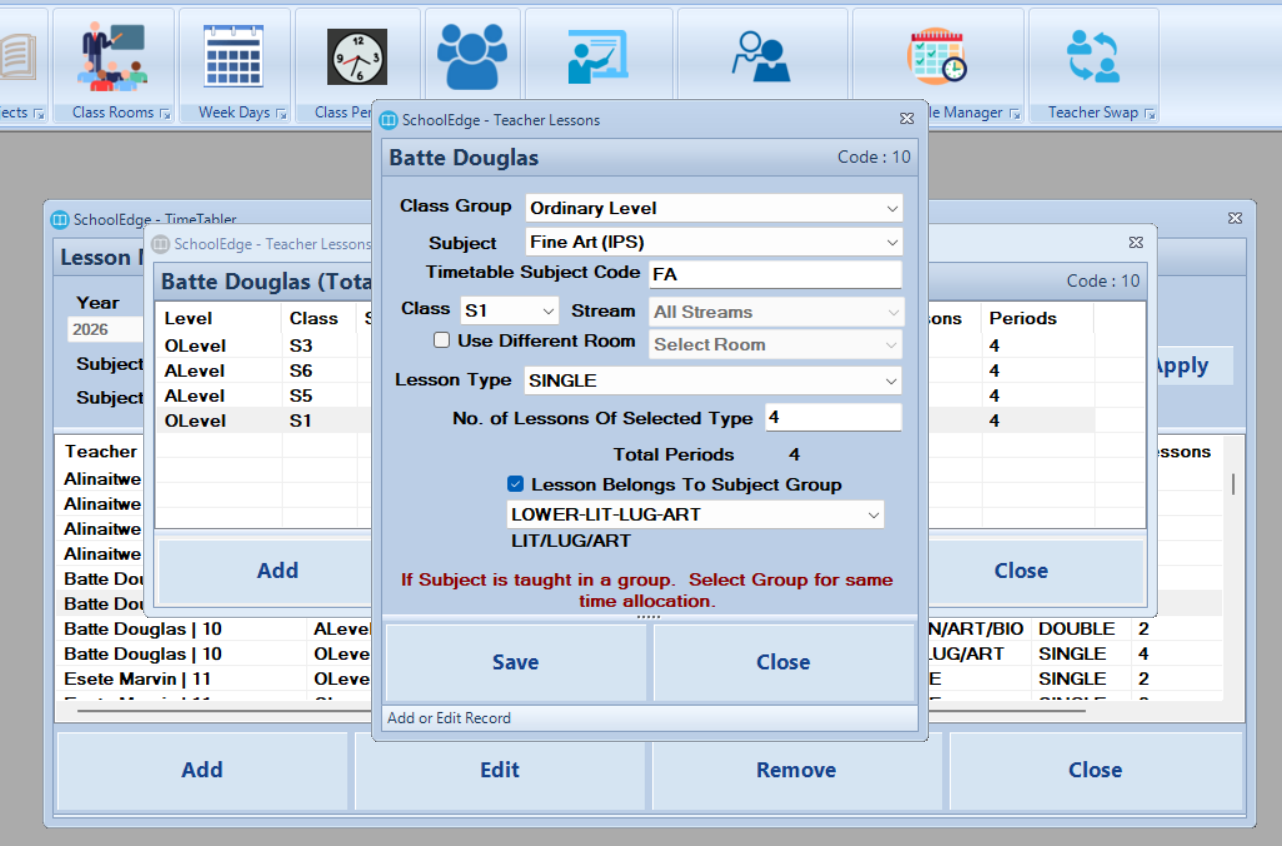
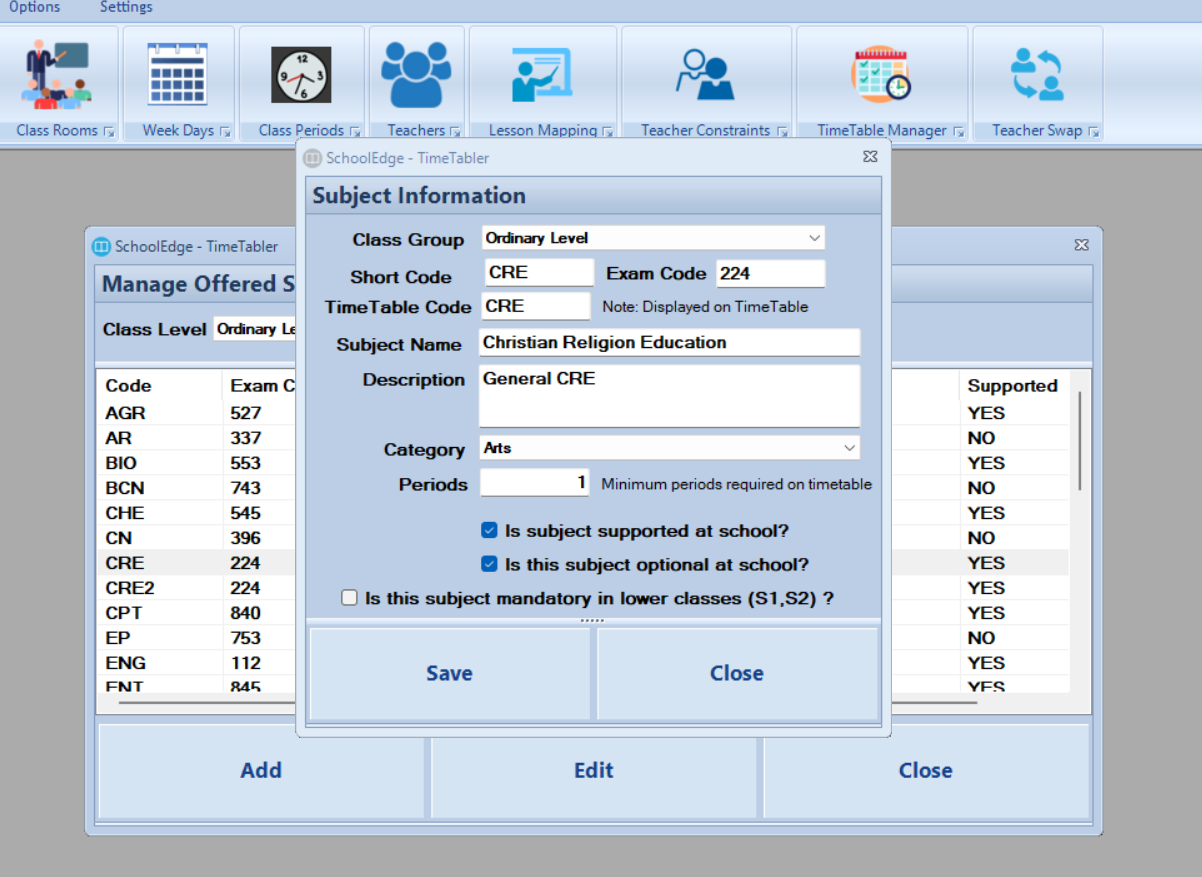
Define the number of weekly lessons required for each subject, class and stream while accounting for single, double and grouped lesson periods.
- Subject and subject-code setup
- Weekly lesson-frequency requirements
- Single and double lesson periods
- Grouped and concurrent subjects
- Class and stream subject allocations
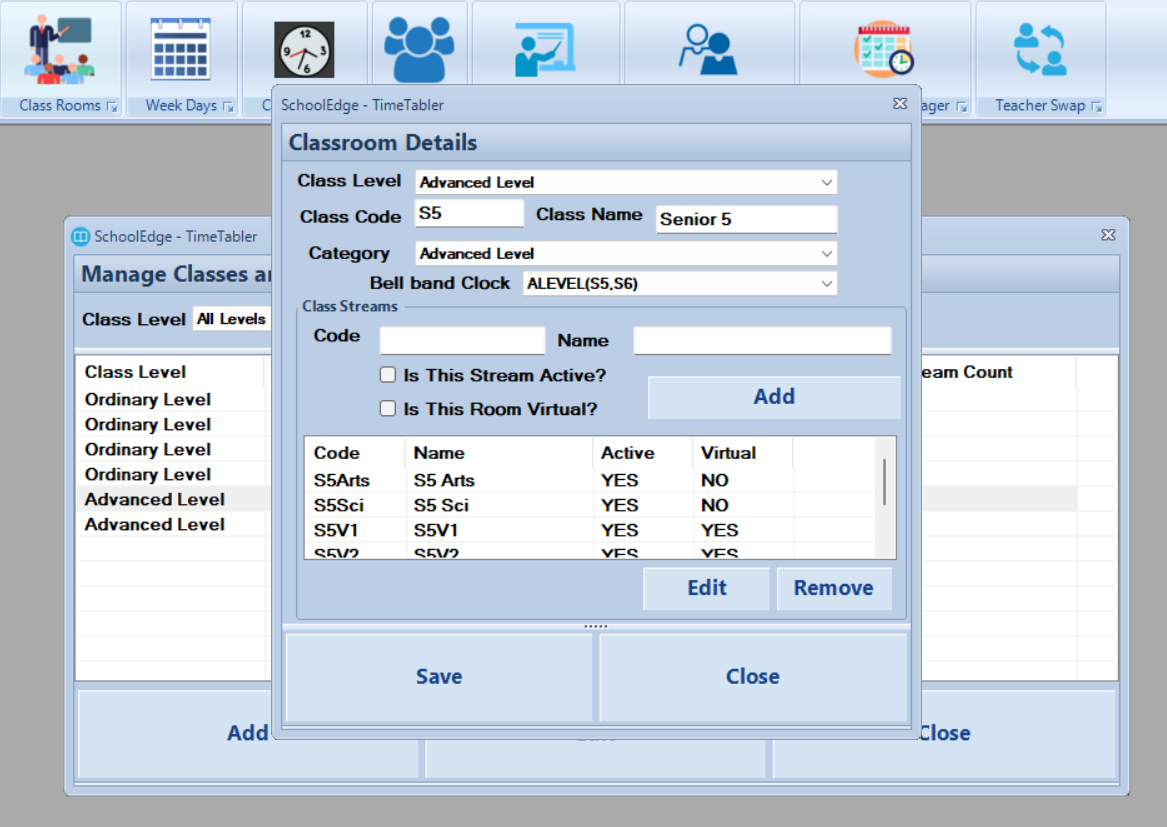
Organize Classes, Streams and Shared Rooms
Structure your school's classes and streams, then assign laboratories, workshops and other shared spaces to the lessons that require them.
- Class and stream management
- O-Level and A-Level structures
- Shared laboratories and specialist rooms
- Room availability and allocation
- Class-specific scheduling rules
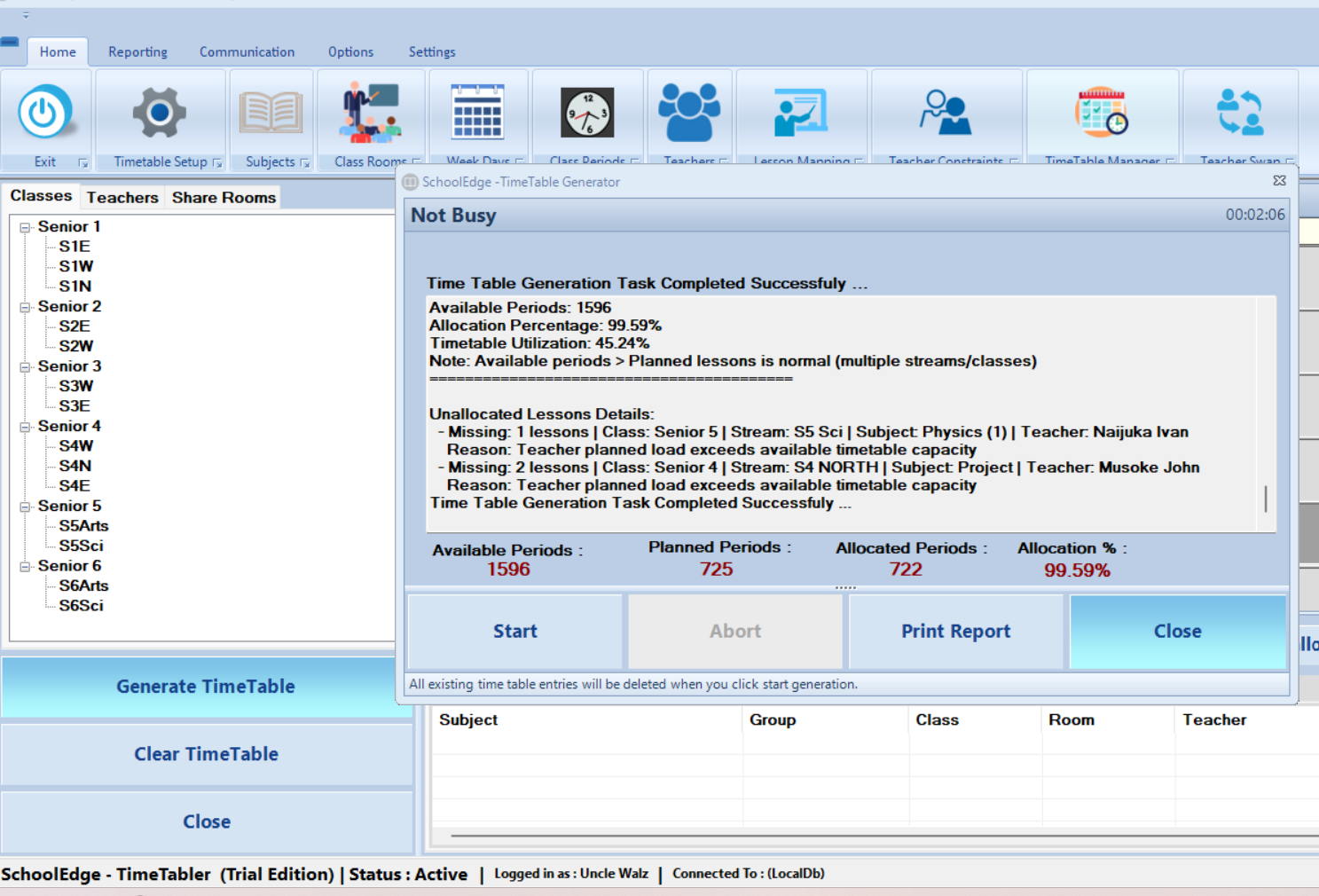
Generate the Timetable Automatically
Use the scheduling engine to allocate lessons across the school week while considering teachers, classes, rooms and configured constraints.
- Automatic lesson placement
- Teacher conflict prevention
- Class and stream conflict prevention
- Room allocation validation
- Constraint-aware timetable generation
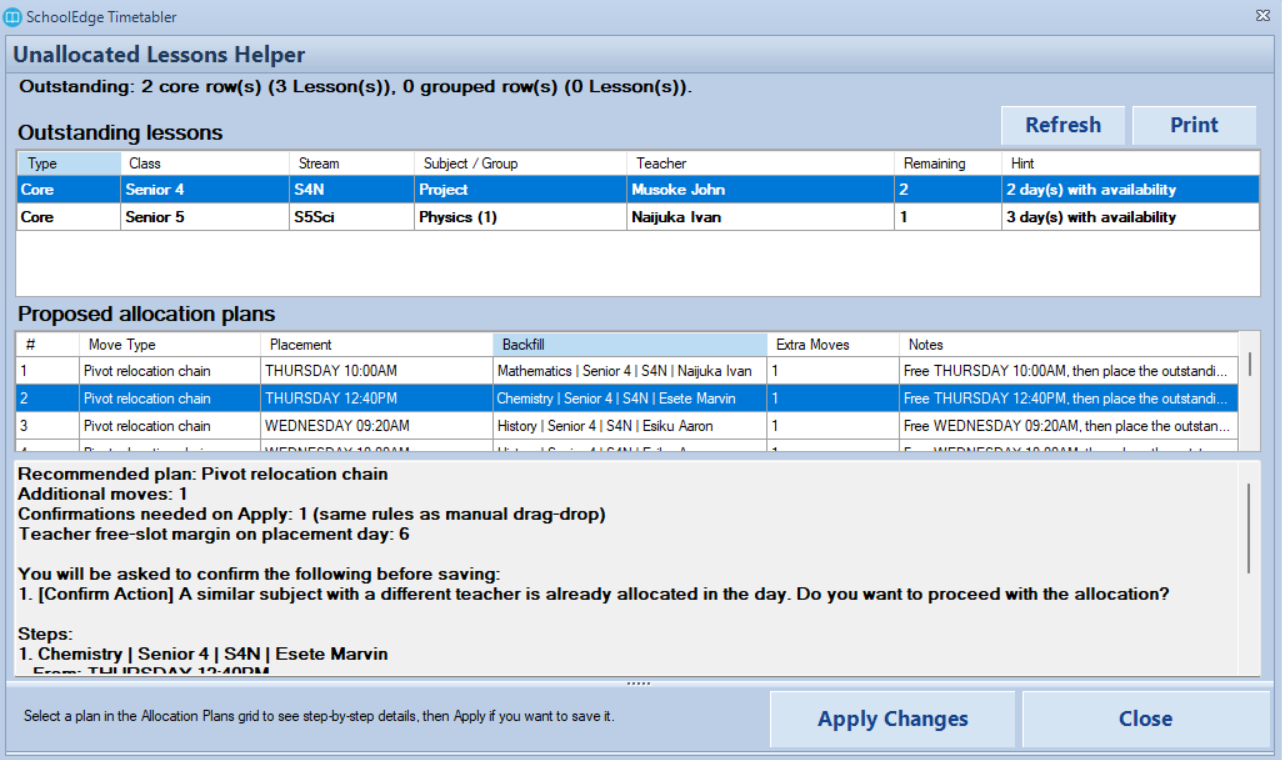
Detect Conflicts Before Publication
Review potential teacher, class, room and scheduling issues before distributing the timetable to staff and students.
- Teacher clash detection
- Class and stream clash detection
- Room and laboratory conflicts
- Availability violations
- Unallocated lesson identification
Adjust the Timetable Without Losing Control
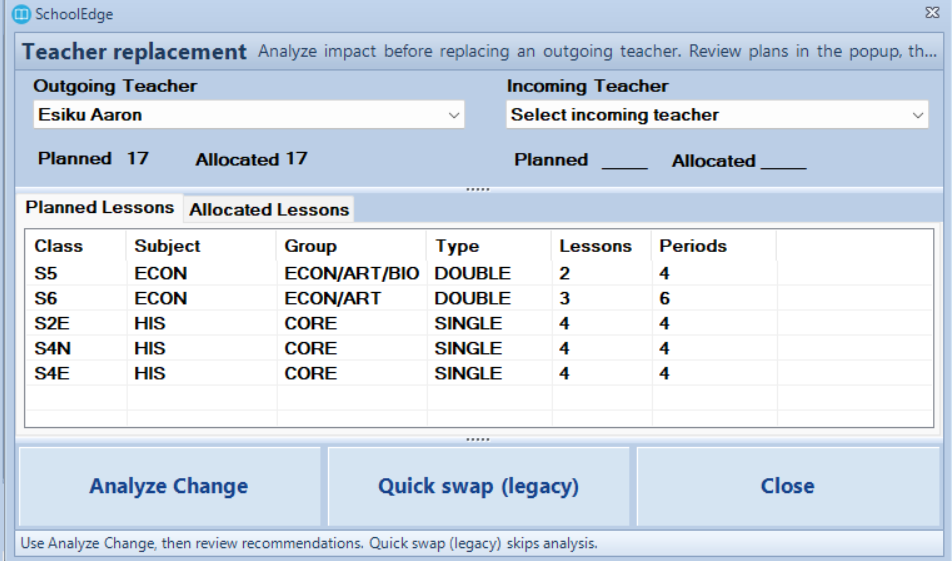
Make practical timetable changes after generation while validating each adjustment against existing allocations and constraints.
- Manual lesson movement
- Teacher reassignment
- Room reassignment
- Immediate conflict validation
- Support for timetable revisions
Analyse and Balance Teacher Workloads
Review the number of lessons assigned to each teacher and identify uneven, excessive or incomplete teaching loads.
- Teacher lesson-load summaries
- Subject-level workload analysis
- Class and stream allocation review
- Overload and under-allocation visibility
- Teacher utilization reporting
From School Data to a Complete Timetable
Follow a structured process to configure the school, generate the timetable, review the result and prepare it for distribution.
Enter School Information
Add teachers, classes, streams, subjects, rooms and weekly lesson requirements.
Configure the Rules
Define periods, teacher availability, grouped subjects, rooms and other scheduling constraints.
Generate the Timetable
Run the timetable engine and review lesson allocations, conflicts and outstanding requirements.
Review and Publish
Make any necessary adjustments, then print and share the finalized timetable outputs.
Produce Timetables for Every Part of the School
Generate clear timetable outputs for teachers, classes, rooms and school management.
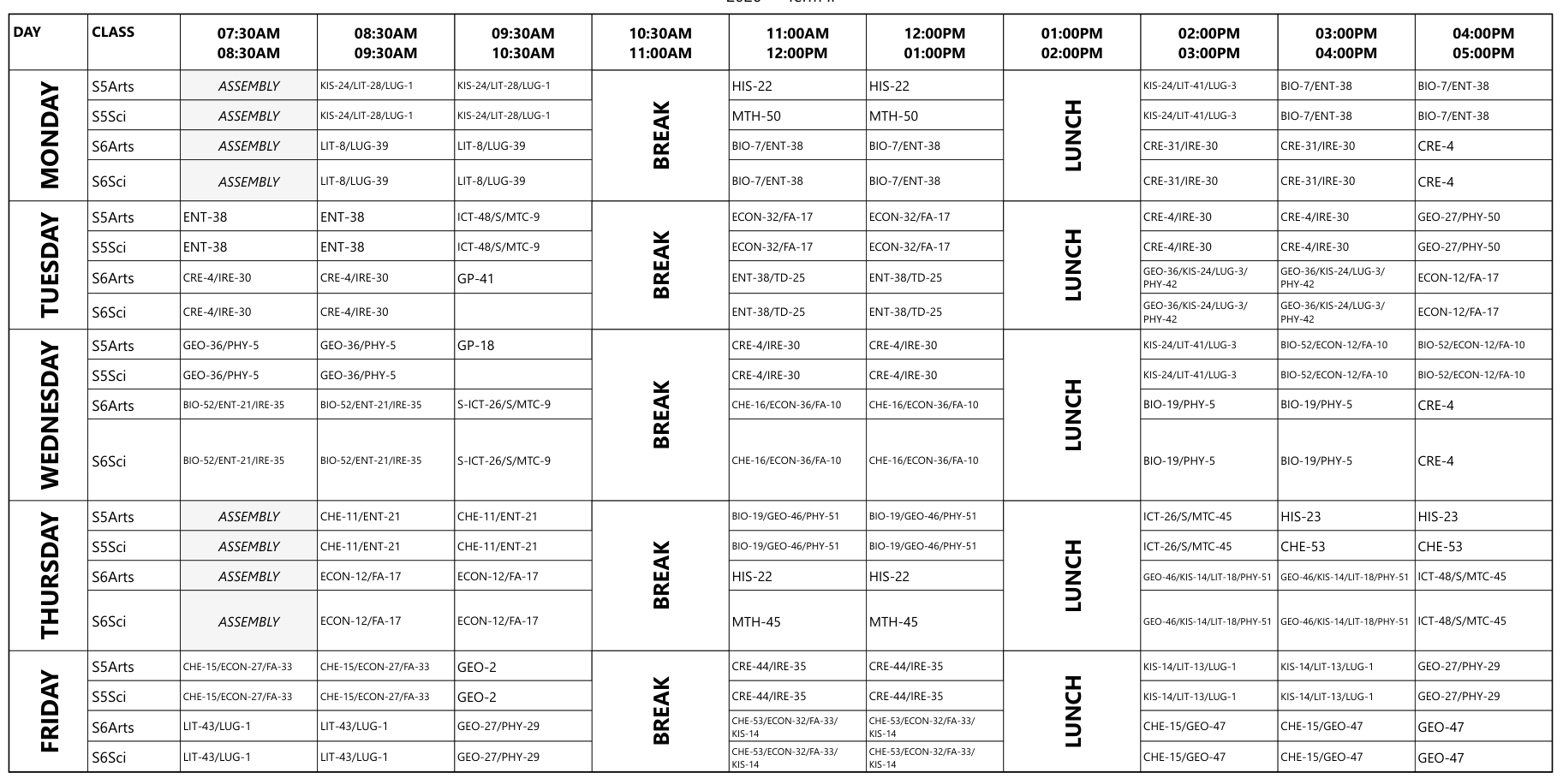
Master Timetable
View the complete school timetable across all classes, streams, teachers and lesson periods.
Class Timetables
Produce individual timetables for every class and stream in the school.
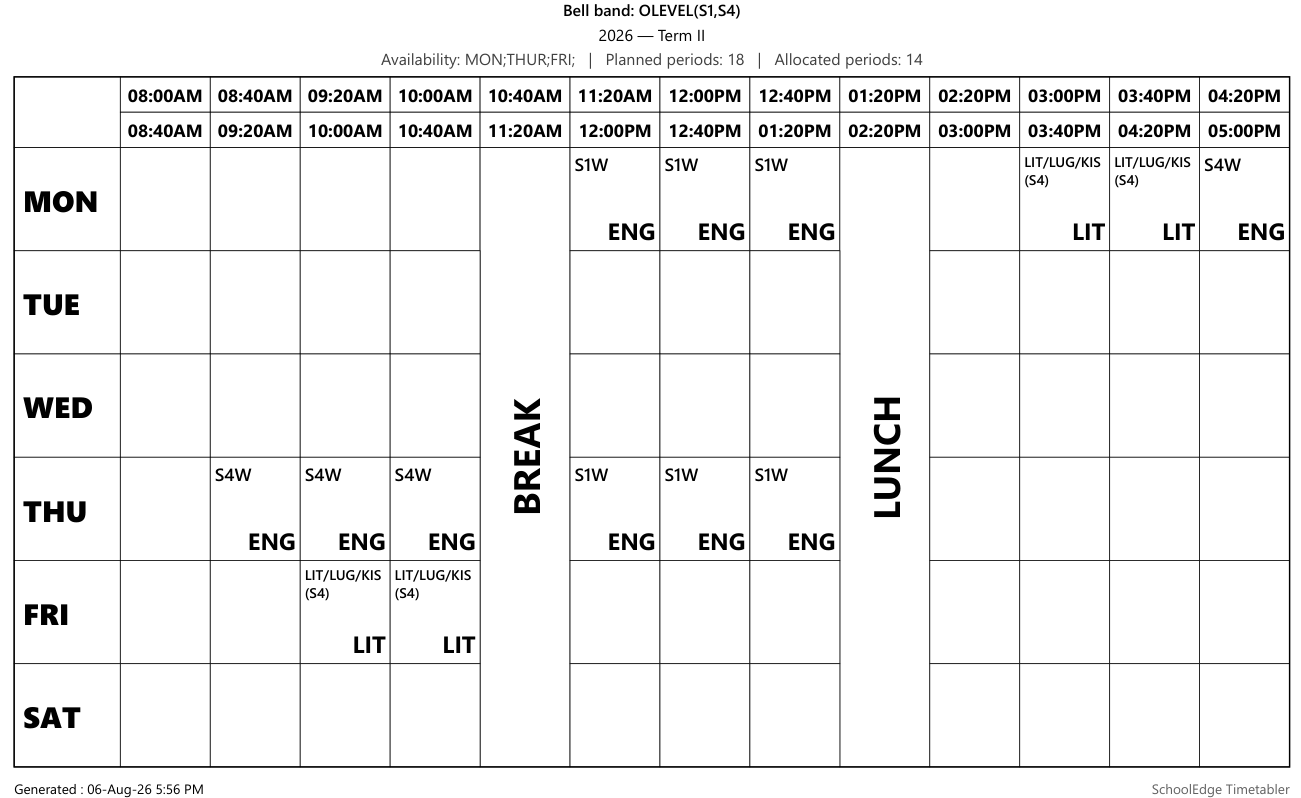
Teacher Timetables
Give every teacher a personalized timetable showing their assigned classes and lesson periods.
Room Timetables
Track the use of laboratories, workshops and shared teaching spaces.
Workload Reports
Review teaching loads by teacher, subject, class and stream.
Conflict Reports
Identify unresolved timetable issues and outstanding lesson-allocation requirements.
Clear, Professional Timetables Ready to Share
Present teachers and students with structured timetable reports that are easy to read, print and distribute.
- School branding and report headings
- Clear day and lesson-period layout
- Teacher, class and subject details
- Print-ready timetable reports
- Multiple timetable views
Improve the Entire Timetabling Process
Move beyond simply producing a timetable and improve the quality, accuracy and management of academic scheduling.
Save Preparation Time
Reduce the time spent placing lessons and repeatedly checking schedules manually.
Improve Accuracy
Detect teacher, class and room conflicts before the timetable is issued.
Balance Teacher Loads
Review lesson distribution and identify unequal or incomplete teacher allocations.
Use Rooms Effectively
Coordinate laboratories, workshops and shared rooms without double allocation.
Handle Revisions Better
Make controlled timetable changes when teachers, subjects or school requirements change.
Produce Better Reports
Generate professional outputs for teachers, classes, rooms and school management.
Explore SchoolEdge Timetabler
Click any screenshot or timetable output to view it in full size.
Reliable Local Performance for Timetable Preparation
SchoolEdge Timetabler is installed on a supported Windows computer and performs its core timetable operations locally. Internet access is primarily required for activation, product updates and remote support.
Local Timetable Processing
Generate and manage timetables directly from the installed Windows application.
Works Without Constant Internet
Core timetable configuration and generation do not require a continuous connection.
School-Controlled Data
Timetable working data remains within the school's installed environment.
Remote Support Available
Receive installation, activation and technical support during the applicable licence period.
Designed for the People Responsible for Academic Scheduling
SchoolEdge Timetabler supports the staff responsible for preparing, reviewing and approving the school timetable.
Deputy Headteacher
Coordinate academic scheduling, teaching loads and timetable approval.
Academic Registrar
Manage teachers, classes, subjects, lesson loads and timetable preparation.
Timetable Committee
Review timetable rules, generated results, conflicts and necessary adjustments.
School Administration
Review staff utilization and approve the timetable before school-wide distribution.
Move from Installation to Your First Timetable
Start with the application, configure your school and prepare your first timetable with remote or on-site assistance where required.
Download
Install Timetabler on a supported Windows computer.
Activate
Activate the selected termly, annual or perpetual licence.
Configure
Enter teachers, classes, subjects, rooms and timetable rules.
Generate
Run the engine and review timetable allocations.
Publish
Finalize, print and distribute timetable reports.
Choose How Your School Licences Timetabler
Every licensing option includes the complete Timetabler application. The difference is the licence period and route to permanent use.
UGX 350,000
Per school, per school term
UGX 990,000
Per school, per year for three years
UGX 2,500,000
One-time payment (Own), per school
Questions About SchoolEdge Timetabler
Learn more about timetable generation, configuration, licensing and implementation.
Ready to Build Better Timetables?
Download SchoolEdge Timetabler or speak with our team about licensing, configuration, data preparation and staff training.